Chapter 0 Exercise Set 1: Programming the Altair 8800
Running Your First Program
We will write a program that adds two numbers and stores their sum. Our plan is
to have the program load the two input variables from memory locations
0030H and 0040H respectively, add them, and place their sum in memory
location 0050H.
We will do this step-by-step, pausing along the way to explain what is happening.
These instructions work on the physical machine as well as our online simulator. See Appendix A to learn how to launch the online simulator.
Let’s go.
Exercise 1: Loading a program to load a variable from memory
In this first exercise we will write a few instructions that will load a value from memory into the Altair’s accumulator.
Turn on the machine by pressing the
OFF / ONswitch down.
2. When you first turn the machine on, we can’t guarantee its initial state. RESET
the machine by pressing the RESET switch up. Confirm that all of the lights
on the ADDRESS row are off.
Set the data switches to
00 111 010and pressDESPOSIT(push theDEPOSIT / DEPOSIT NEXTswitch up). Confirm that your machine front panel matches the this one: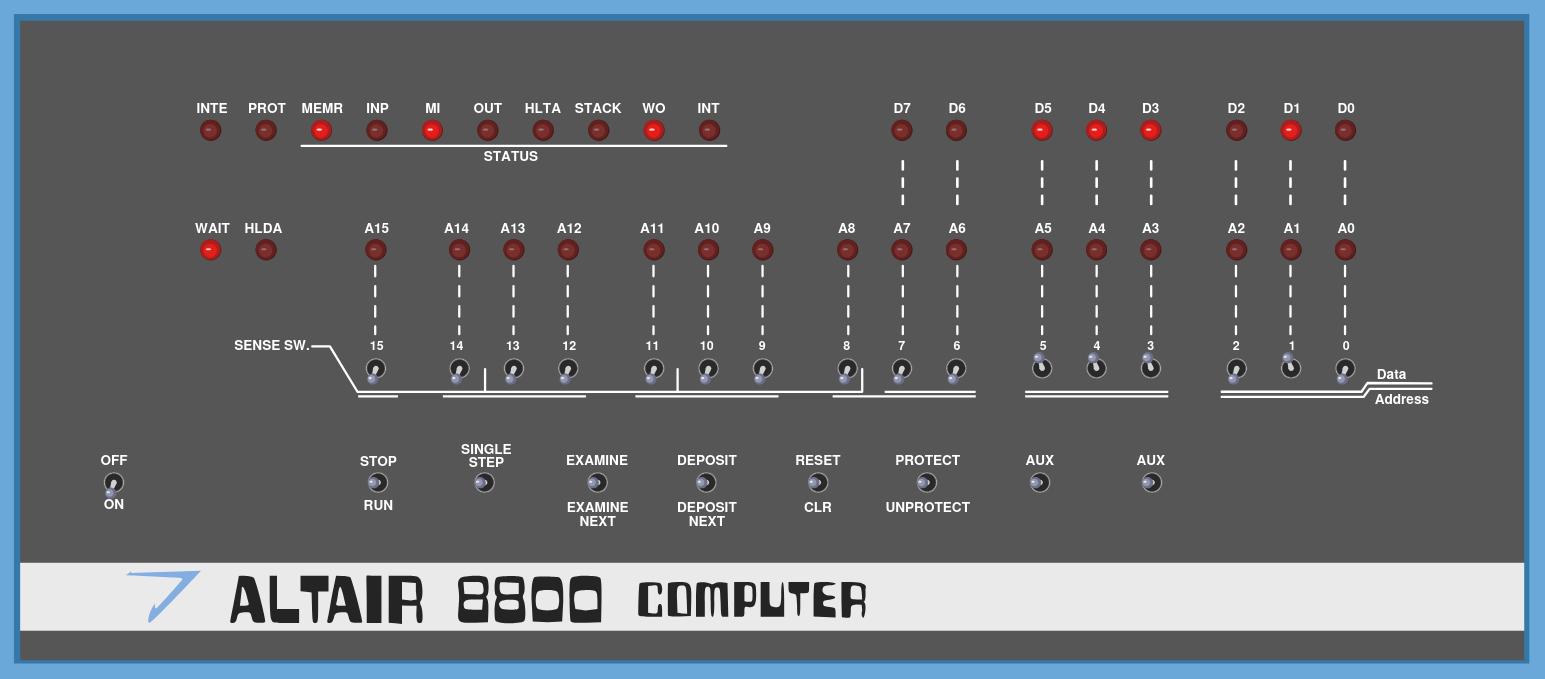
Set the data switches to
00 110 000and pressDEPOSIT NEXT(pushDEPOSIT / DEPOSIT NEXTdown). Now confirm that the front panel looks like this: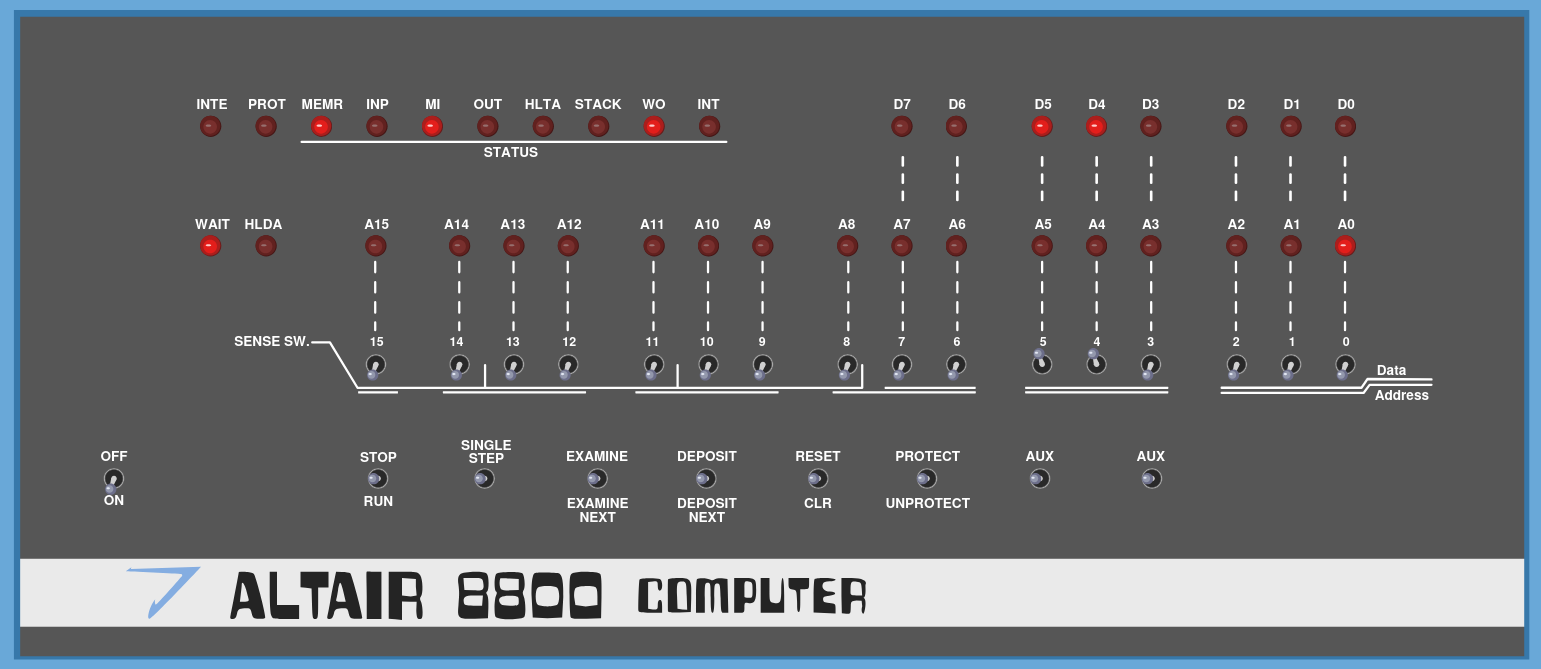
Set all data switches to
0(down) and pressDEPOSIT NEXTagain.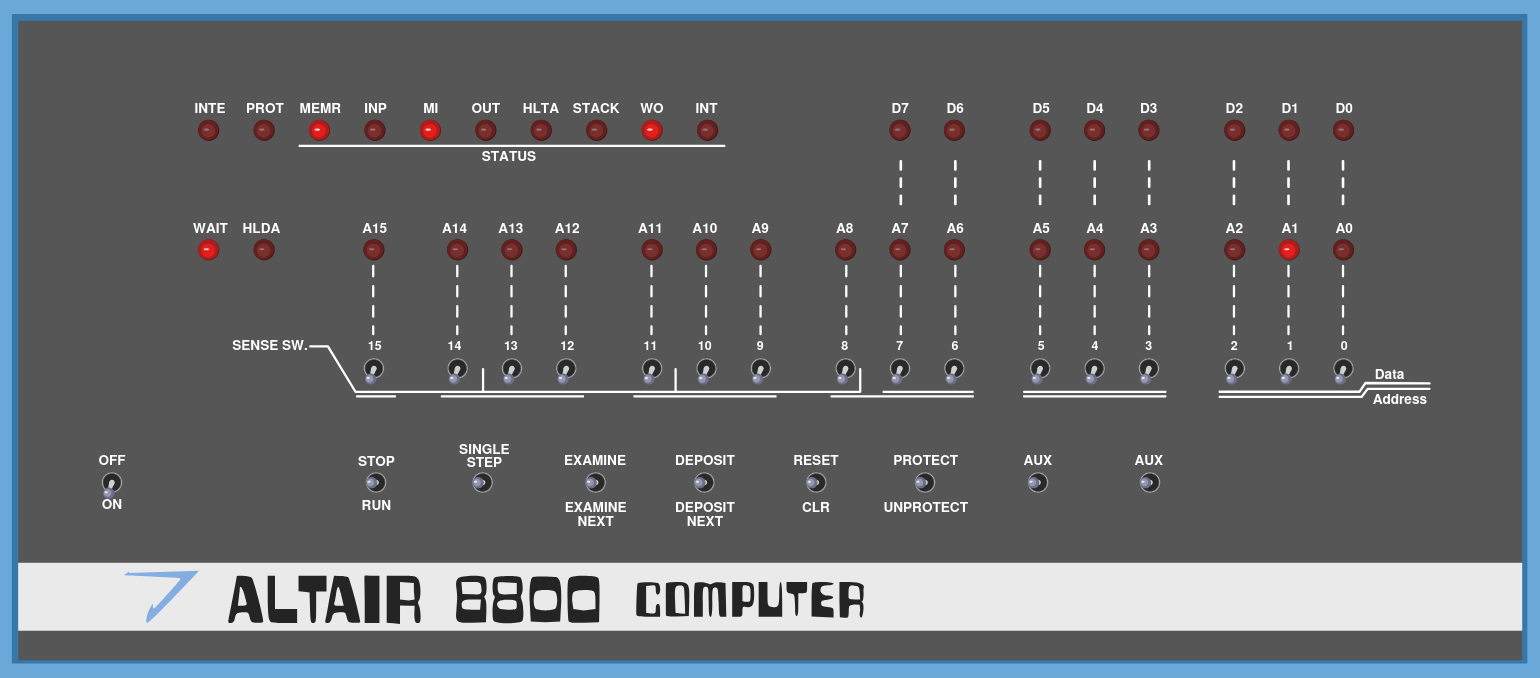
Deposit
11 000 011in the next memory location.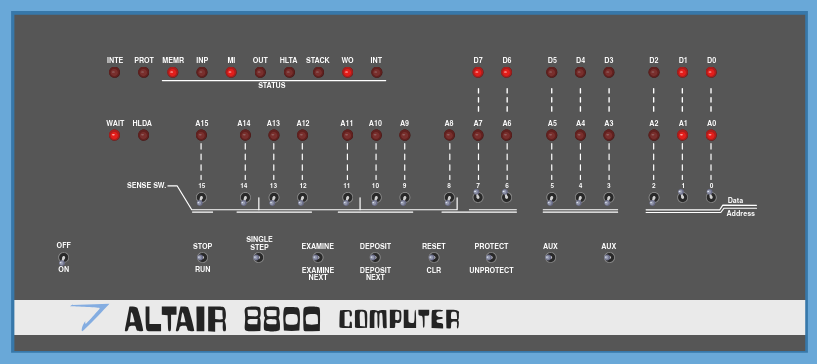
Deposit
00 000 000into the next two memory locations
6. If you’re on the physical machine, you’ll have to trust for now that you’ve
keyed in the instructions correctly. If you’re using the online simulator, you
have a convenient way to inspect the internal memory to be sure.
Click on the Debug button located in the center above the machine.
Confirm that your Memory Dump looks like this:
Note
Only check the first 4 sets of 2-digit hex numbers. Your memory dump will be filled with random values. That’s how the real Altair machine works - when it is first turned on, the memory is filled with random noise. To make these screenshots easier to read, we’ve clicked the “ZERO ALL MEMORY” button before entering our program. There is not equivalent button on the real machine. The story of why memory is randomized at startup is cool, but it’s beyond the scope of this book.
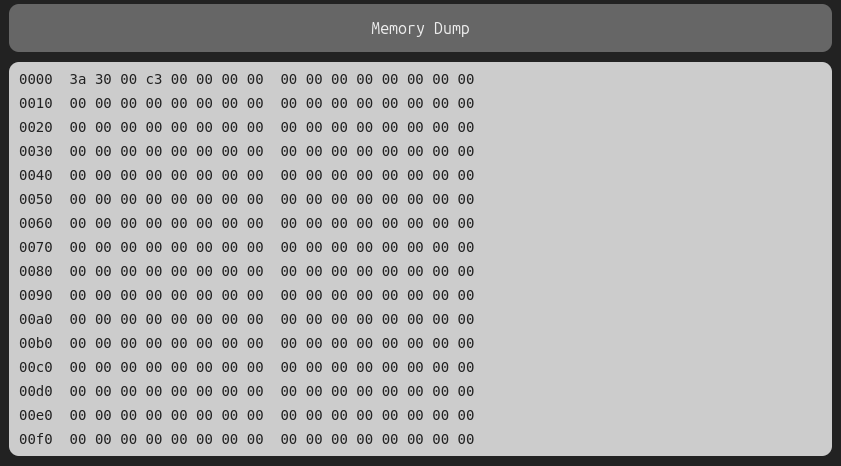
Let’s discuss what we’ve done so far. The first instruction, 3A, is the
“load direct address”, or LDA instruction (see
Data Transfer Instructions). It loads a byte from the memory address
that follows it into the accumulator.
The memory address that follows it is a 16-bit value that addresses (indexes)
one of the sequential memory bytes, starting at byte 0 and proceeding up to
the limit of available RAM, with a maximum index of 65535.
For reasons of hardware efficiency related to the instruction clock that we will not have time to discuss here (though which would make a great class research topic), the two bytes of the 16-bit address are fetched in reverse order, so the second of the two bytes is listed first.
We want our program to fetch the byte at address 0030H, but we list it in
our program as 30 00. It is important to understand this, so commit it to
memory, both in your brain, and in the computer!
The finial instruction, C3, is the jump, or JMP instruction (see
Control Instructions). JMP moves the program counter to a new memory
address and proceeds from there. That address is 0000H, so this instruction
effectively causes the program to repeat over and over. On the physical
machine, you can’t guarantee the initial state of the memory so you’ll need to
specifically set those zeros. On the simulator, the
values in memory are already all set to 0, so we don’t need to manually enter
those two bytes.
All together, we could write our program like this:
LDA 0030
JMP 0000
Exercise 2: Setting a variable in memory
In this second exercise we will set the value at memory location 0030H to
the hex value 13H, and then run our program to see if it loads this
value into register A (the accumulator).
If your virtual Altair 8800 is not already in the state, put it back in that state by repeating the steps from exercise 1.
Set the 16 address switches to
0 000 000 000 110 000. Take a moment to convince yourself that this is0030H, then push theEXAMINE / EXAMINE NEXTswitch up, in theEXAMINEdirection.Set the data switches to
00 010 011.Note
If you aren’t automatically taking a few seconds by now whenever you see these bit strings to determine in your head what their value is in both hex and decimal, you aren’t serious about learning how to program the Altair!
Press the
DEPOSITswitch. Your front panel should now look like this: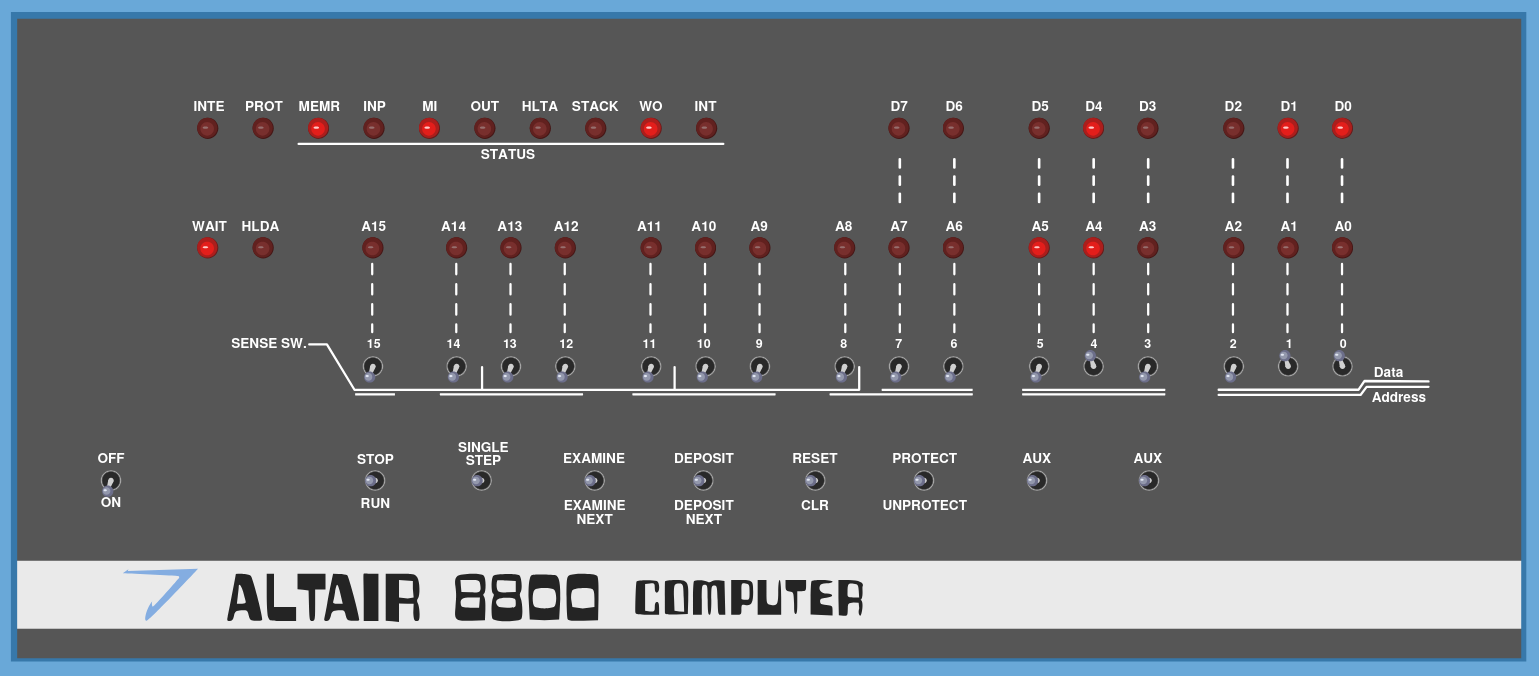
and the cpu and memory dumps should look like this:
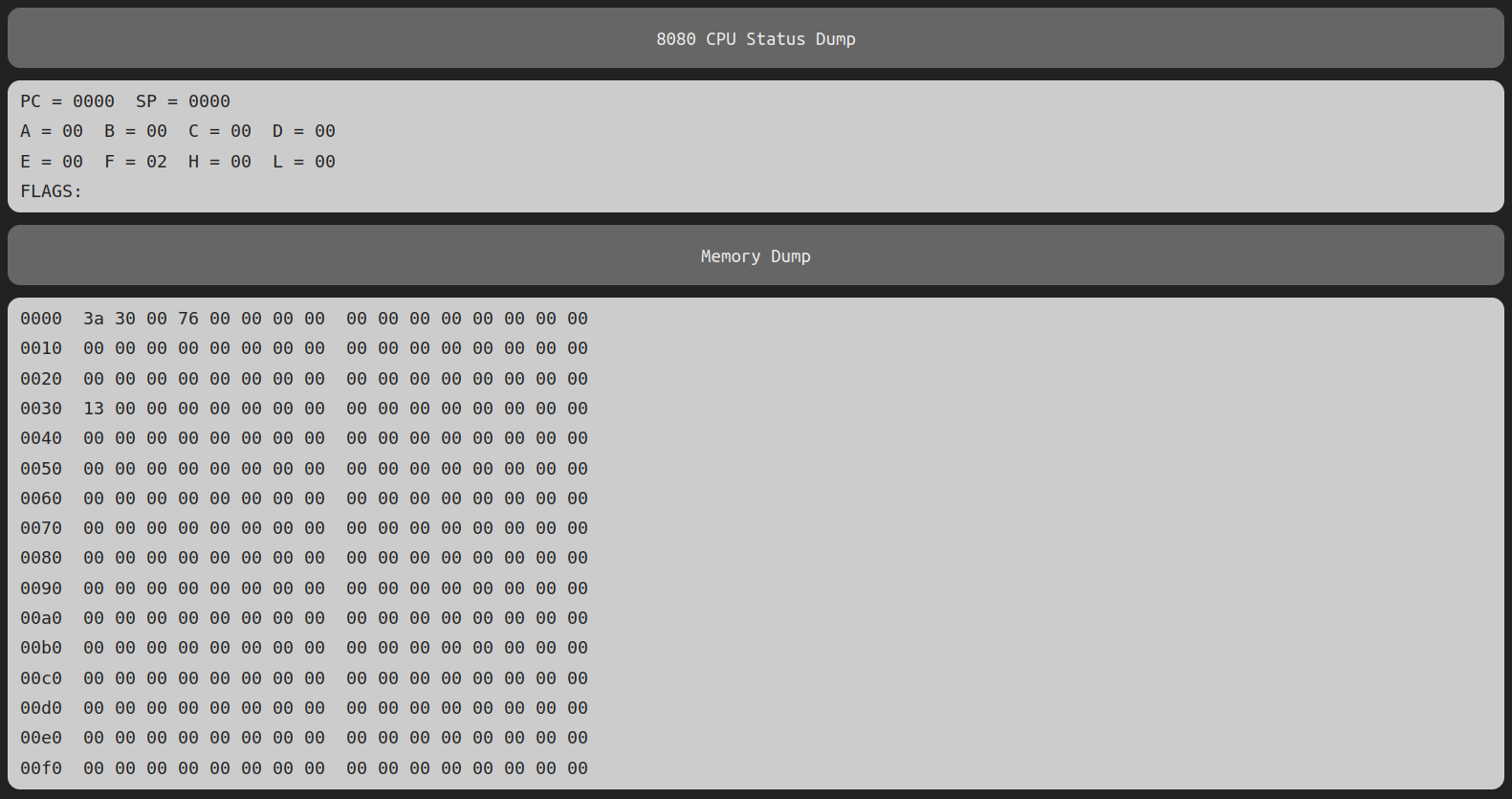
Return to the
Simtab and press theSTOP / RUNswitch down to run the program. Now take another look at theDebugtab, and you should see this: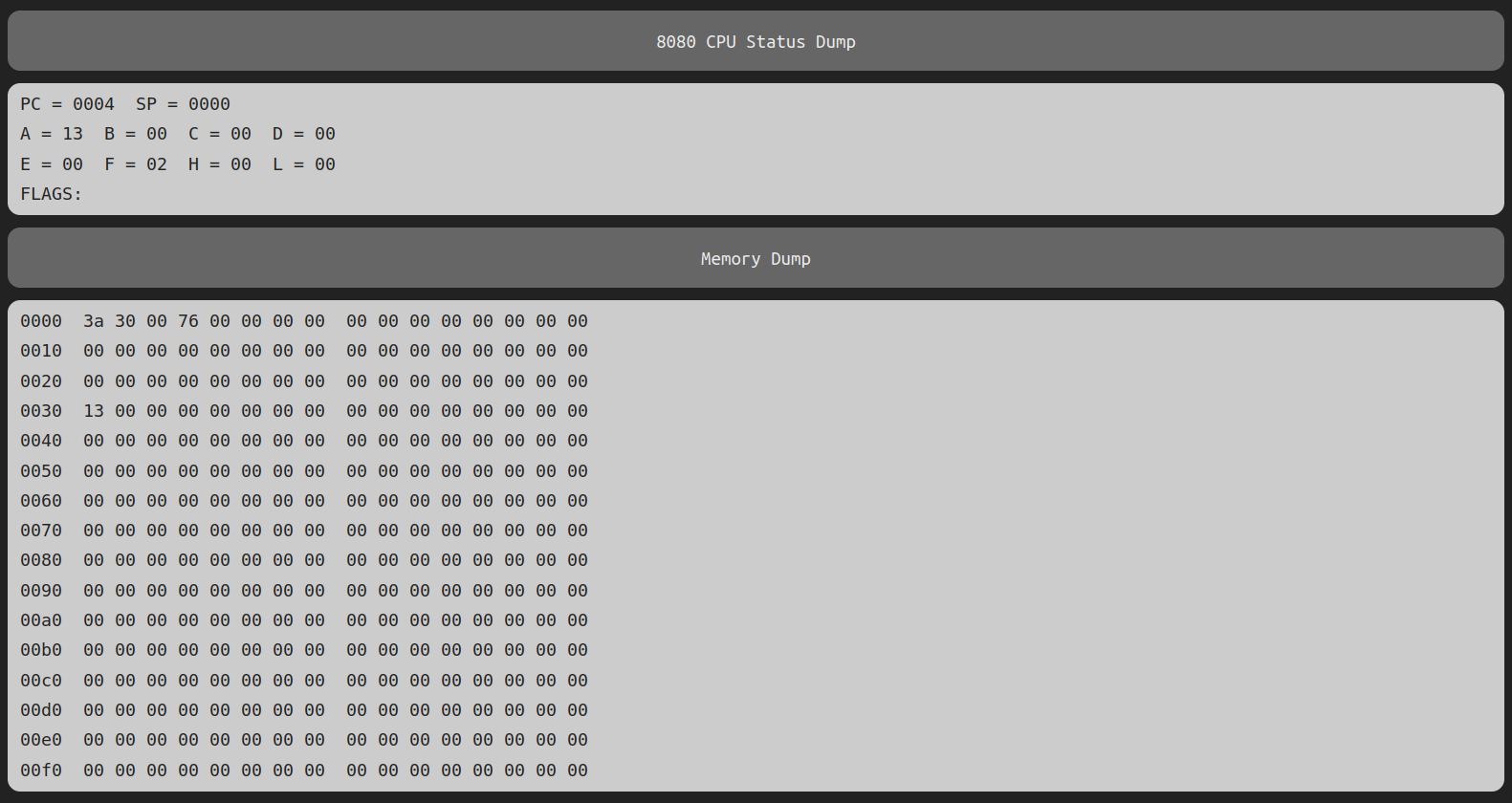
When you run the program, you’ll notice that the lights labelled A1 and A0 on the board start rapidly blinking (on the physical machine the blinking is so fast that it looks like the lights are all the way on) That’s because the program is jumping! It’s executing the instruction at memory address 0, then 1, then 2, then back to 0, indefinitely. To pause the execution, you can flip the
STOP / RUNswitch up.If you see
A = 13, the program has successfully executed, loading the value from address0030Hinto the accumulator.PCis the program counter, and it might show a different value depending on when you stop it.There isn’t a great way to verify correct execution on the physical machine at this stage. Continue on to Exercise 3, where you’ll be able to run and verify on the machine.
Exercise 3: Finishing our add program
Before we complete our add program, we’ll need to set the value of our second addend.
We want to put the value 17H into memory location 0040H.
Before we tell you how, see if you can figure it out on your own before reading on…
Ok, did you conclude that you need to:
Set the address switches to
0 000 000 001 000 000B.Press the
EXAMINEswitch.Set the data switches to
00 010 111B.Press the
DEPOSITswitch.
If you figured this out on your own, take a moment to pat yourself on the back. You’re on your way to success in this course!
If you couldn’t figure it out, it would serve you well to go over each of the steps we’ve done again (and again, and again..), carefully paying attention to each one until you feel confident you understand what it did.
To complete our add program, we still need to do the following:
Move the first number from the accumulator so we can load the second number there.
Load the second number into the accumulator.
Add the two values, storing the result in the accumulator
Write the result to memory address
0050H.
Here is the full program in hex, including what we did in the first two exercises, to finish those steps:
3A 30 00 47 3A 40 00 80 32 50 00 C3 00 00
asdf and here is a link to our simulator with this program already loaded
We’ll learn more about how this maps to instructions later, but for now, here’s a formatted version of the above hex program, with some comments that show the instruction names:
            ;step1 : Load the data from address
            ;        0030 into register B
3A 30 00    ;LDA 0030
47          ;MOV B,A

            ;step2 : Load the data from address
            ;        0040 into the Accumulator
            ;        Then add register B to it
3A 40 00    ;LDA 0040
80          ;ADD B
32 50 00    ;STA 0050

            ;step3 : Jump back to the start
            ;        and do it all again
C3 00 00    ;JMP 0000
Now let’s finish entering the program. We’ll just give you a higher level description of what to do, since you should be able to follow that now.
Examine memory address
0003H, and change its value from76Hto47Hby depositing the latter value (replacing the previous one).Use
DEPOSIT NEXTto set the subsequent values to3A 40 00 80 32 50 00 C3 00 00.Run the program and look at the machine state using the
Debugtab. If you see: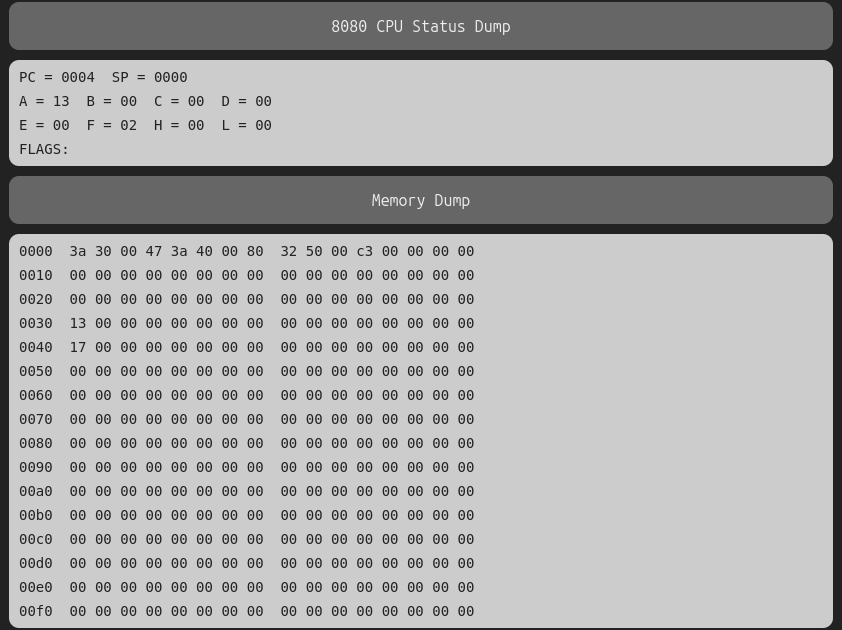
If you don’t see that, you might need to hit the
RESETswitch before theRUNswitch.RESETjust moves the program counter back to memory address 0 - it does not clear the program you’ve entered.Now verify that it worked. Use the
EXAMINEswitch to check and make sure that the addresses0030Hand0040Hare both populated and0050His empty (you might need to intentionally zero-out0050H), then hitRUN. It will loop infinitely until you hitSTOP, and then you can inspect0050Hto confirm it’s populated with2AH. You can zero-out0050Hand re-run as many times as you want.Congratulations! You’ve successfully written a machine language program to add two numbers.