Extension: Pydoc
You can use pydoc to search through the Python libraries installed on your system. At the command prompt type the following:
$ pydoc3 -b
and a browser window with something similar to the following will appear:
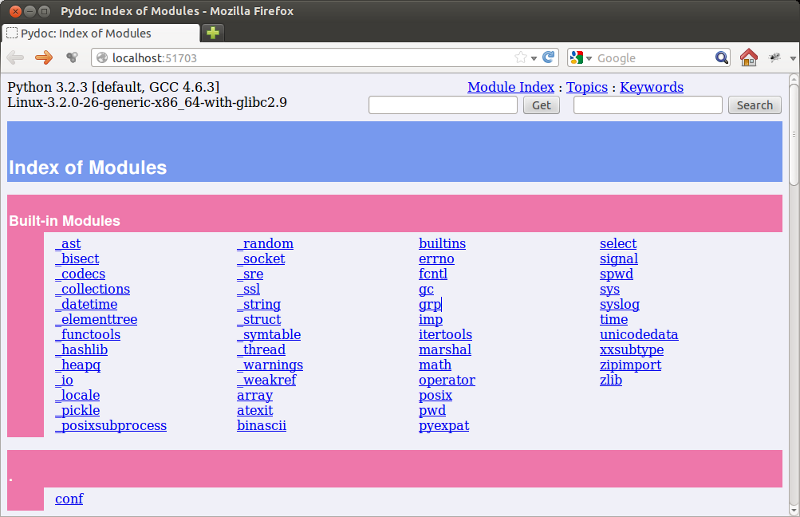
This is a listing of all the python libraries found by Python on your system. Clicking on a module name opens a new page with documenation for that module.
Scrolling down to the /usr/lib/python3.11 section and clicking keyword,
for example, opens the following page:
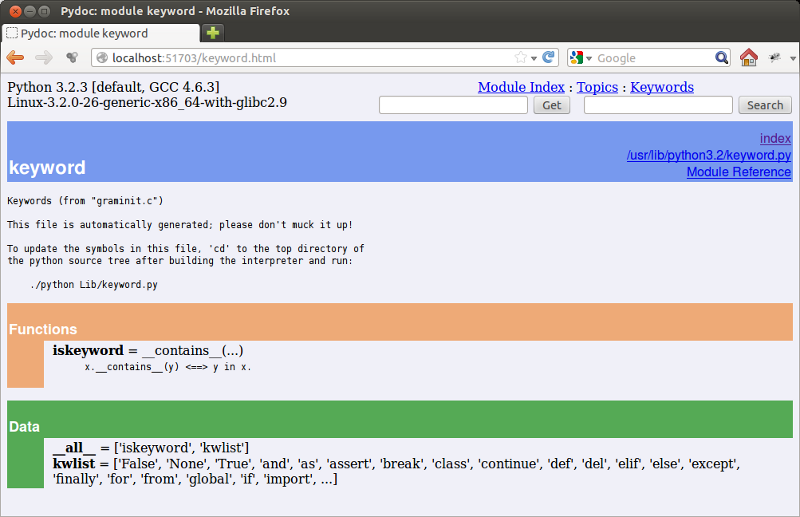
Documentation for most modules contains three color coded sections:
Classes in pink
Functions in orange
Data in green
Classes will be discussed in later chapters, but for now we can use pydoc to see the functions and data contained within modules.
The keyword module contains a single function, iskeyword, which as its
name suggests is a boolean function that returns True if a string passed to
it is a keyword:
>>> from keyword import *
>>> iskeyword('for')
True
>>> iskeyword('all')
False
>>>
The data item, kwlist contains a list of all the current keywords in
Python:
>>> from keyword import *
>>> print kwlist
['and', 'as', 'assert', 'break', 'class', 'continue', 'def', 'del',
'elif', 'else', 'except', 'exec', 'finally', 'for', 'from', 'global',
'if', 'import', 'in', 'is', 'lambda', 'not', 'or', 'pass', 'print',
'raise', 'return', 'try', 'while', 'with', 'yield']
>>>
We encourage you to use pydoc to explore the extensive libraries that come
with Python. There are so many treasures to discover!